
Turn your whole team into AI power users
Equip your team with an AI shared brain, so they move faster, together.

Tired of watching your team struggle to work together with AI?
That's because AI was built for one person at a time. Everyone's getting value out of it solo, but the moment the team needs to work together, it falls apart. The knowledge is stuck in whoever's chat window, and there's no shared place for any of it. None of this is your fault. Here's what it looks like:
 You're zipping files and pasting context just to share one thing
- Everyone's in their own chat window, starting from scratch
- Their AI has no idea what your AI already knows
- Your team's knowledge is scattered across drives and docs

Meet TeamBrain
Say hello to TeamBrain! It's the platform for teams using AI to share docs, tasks, and collaborate seamlessly.
 Native to AI, built in from the ground up
- One shared brain your whole team works from
- Built-in project management, run by your AI
- Automatic context for every AI that joins
- Bring your own AI, on your own keys
- Scales by project, department, or client
TeamBrain was built from the ground up for AI (not a human platform with AI bolted on).
So what does that actually change? It means no interface in the way. Your knowledge lives as plain markdown at the core, clean text your team can read and any AI can move through instantly, instead of fighting through menus built for humans.

Markdown at the core because that's what AIs love
Your knowledge lives as clean, structured text, fast for any AI to read and write, easy for people to follow.

No clunky human interface in the way, everything is AI-first
AI doesn't crawl through menus and page-builders. It works directly with the files, the way it works best.

Speaks MCP natively, so your AI connects smoothly
No custom plugins or integrations. Any AI that supports MCP connects directly to your shared brain.

We tried everything and knew there had to be a better way than the copy-paste workflow.
We lived this. Every AI was built for one person, so the leverage stopped with whoever was holding the chat window. So we built the thing we needed: one brain our whole company works off of. Our project manager, our designers, our VAs, and our clients all work with AI off the same organized knowledge. It cleaned up how we run. Now the work doesn't live in one person's head, it lives in the brain everyone shares.
Context is the most important thing AI needs, so we built TeamBrain to dish it out.
As your team and their AI work, TeamBrain captures what's happening and why: what got decided, what changed, and who made the call. The why stays attached to every task and every decision, so nothing lives only in one person's head. The next person who looks, or the next AI that connects, is instantly caught up.

Decisions are captured, so everyone always knows who changed what and why
Every decision gets captured with the reasoning behind it, so anyone can see not just what changed, but why it changed.

Data is structured so AIs get context quickly without using tons of tokens
A new teammate, a contractor, or an AI gets the full picture in one call, not a week of onboarding.

Built for remote async teams to pick up and continue without missing a beat
When the team isn't in one room, the context lives in the workspace instead of in hallway conversations nobody else heard.
TeamBrain is not a chat platform that replaces Claude or ChatGPT, it's a brain in the middle of your team's current setup.
TeamBrain isn't another app you sit in and chat with. You keep working in the AI you already use, and just tell it to read or update your shared brain.

Continue using your favorite LLMs, wherever you work
Claude on desktop, Claude Code, your AI in Slack, your phone. You don't move into a new app, your AI reaches TeamBrain from wherever you are.

Seamlessly interact with TeamBrain for context
"Pull the latest on this client." "File this under their folder." "Make a note of this." Plain instructions, no new interface to learn.

A shared brain means everyone is on the same page
Every person's AI reads from and writes to the same shared brain, so an update from one shows up for everyone.

Your data is your data. We built TeamBrain to keep it that way.
Your team's knowledge is the whole product, so we treat it like it's sacred. Everything is private to your team, with access controls so people only see what they should. No training on your data, no proprietary lock-in, no settings buried where you'd never find them.

We never read or train off your data, ever.
Your knowledge belongs to your team. We don't read it, and no AI is ever trained on it.

Download your data as .md files
Everything lives as plain markdown, so you can export every file any time, including the day you leave.

Built in 30-day trash and safeguards
Anything deleted sits in trash for 30 days, so a slip by a teammate (or an AI) never costs you real work.
A full project manager built in. And your AI knows how to drive it.
TeamBrain isn't just a pile of docs. It's a working project space, tasks, calendar, comments, assets, and a dashboard the whole team sees. And because it's all AI-native, every one of these is something your AI can run for you, not just something people click through.

Kanban board
Track work as cards from to-do to done — and your AI sets the tasks on it for you.

Calendar
Deadlines and events in one shared view — and your AI drops new ones on as they come up.

Comments on docs
Feedback stays right on the file — and your AI reads it before it touches the doc.

Asset attachments
Keep files and deliverables with the work they belong to — and your AI files them where the team will look.

Morning email nudge
Everyone gets what's on their plate today — and your AI writes it from what actually changed.
Decision log
Every change captured with the why behind it — and your AI logs it as the work happens.

Dashboard
One screen for what's moving and what's stuck — and your AI summarizes any project on request.

Collections
Group docs, tasks, and assets by campaign or client — and your AI keeps it organized.

Guest accounts
Bring clients and contractors into just their stuff — and your AI works across every device.
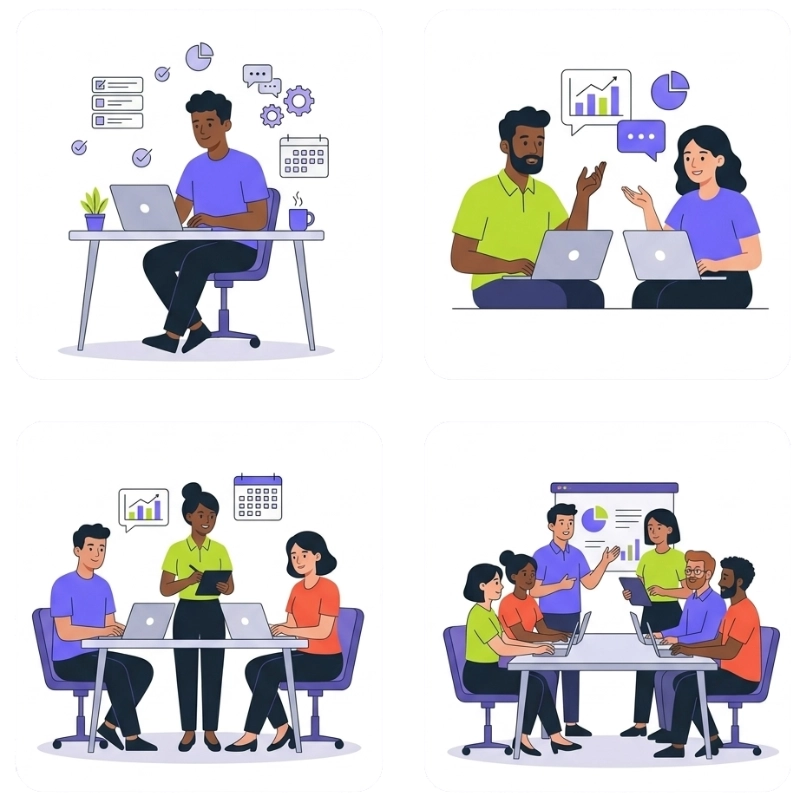
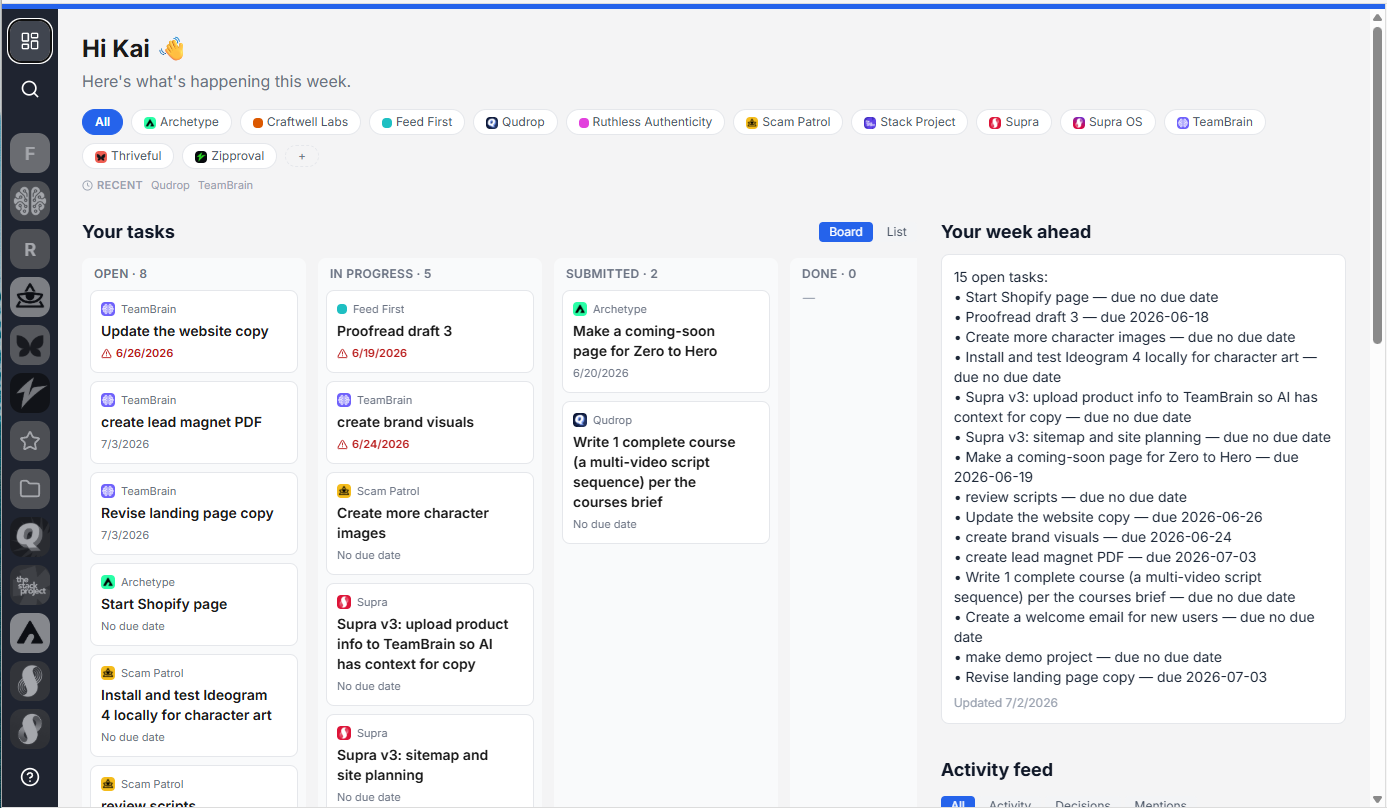
Set up your space to be projects, clients, departments, or whatever. TeamBrain was made to be flexible and scalable.
One brain, whatever shape your work takes. Spin up a space per project, per client, or per department, share it with exactly the right people, and every space stays as legible to the AI as it is to the team.
With collaboration a breeze, and all the context at your fingertips, your team can knock out work in minutes.
Way more done, faster, with AI. Everyone wakes up knowing exactly what to do. Every morning, TeamBrain sends each person a nudge with what's on their plate, what changed, and what matters most today. They open the dashboard and the path is already laid out. There's no standup to figure out priorities and no waiting on you. They just start knocking things out.

Killer pricing so you can bring your whole team and clients onboard.
You already pay for the AI. TeamBrain is the brain it works off of, for the whole team, at one simple price. No per-seat math that punishes you for adding people, and no second AI bill, because everyone connects the AI they already have.
Starts at $12/mo.
Questions teams ask before they start.
Have a question we didn't cover? Check the docs, or send us a message and we'll help.

Do I have to move my team off the AI they already use?
No. That's the whole point. Your people keep working in Claude, ChatGPT, or whatever they already use, and connect it to TeamBrain. Nobody learns a new chat tool.
Which AI does it work with?
Claude, ChatGPT, and other major AI clients, plus anything that connects over MCP or our API. It covers the AI your team already uses and keeps growing, and you're not locked to one.
Is it hard to set up? I'm not technical.
No. Connecting your AI is a one-time setup, not a dev project. You don't have to understand the plumbing. If you can install an app and paste a link, you can connect your AI to TeamBrain.
Will my team actually use it?
They will, because they don't have to change how they work. They keep using their own AI, on their own devices, and just point it at the shared brain. There's no new interface to adopt and abandon.
Is my data safe?
Yes. Your knowledge is private to your team, with access controls so people only see what they should, and it's encrypted in transit. We do not train any AI on your data. And because it's plain markdown you can export any time, you're never locked in. Owning your own data is one of our core values, not a setting we buried.
What happens to my data if I cancel?
You take it with you. Everything is plain markdown, so you can download every file any time, including the day you leave. Nothing is trapped in a proprietary format.
Can I start small before I roll it out to everyone?
Yes. Start with a small plan and bring a few people on first. Once it clicks for them, add the rest of the team, with no per-seat math working against you.
Is this only for agencies?
No. Agencies love it for juggling client work, but it fits any team that wants to work with AI together, like founders, small companies, and remote teams with VAs and contractors.
How is this different from a shared Notion or Claude Projects?
Those were built for one person, or for people first with AI added on. TeamBrain is built for a whole team and their AI to work off the same brain, in plain markdown that any AI can read and write fast, with the tasks, decisions, and the why all in one shared place.
Tired of watching your team struggle to work together with AI?
A new era of working with AI is here, and the teams that move first pull ahead fast. Get your whole team on the forefront of it, working as one.